

WELCOME TO THE ANEW PROJECT HELP PAGE:
HOW CAN WE HELP YOU?
CREATING YOUR ACCOUNT
01: FIND OUR EMAIL IN YOUR INBOX:
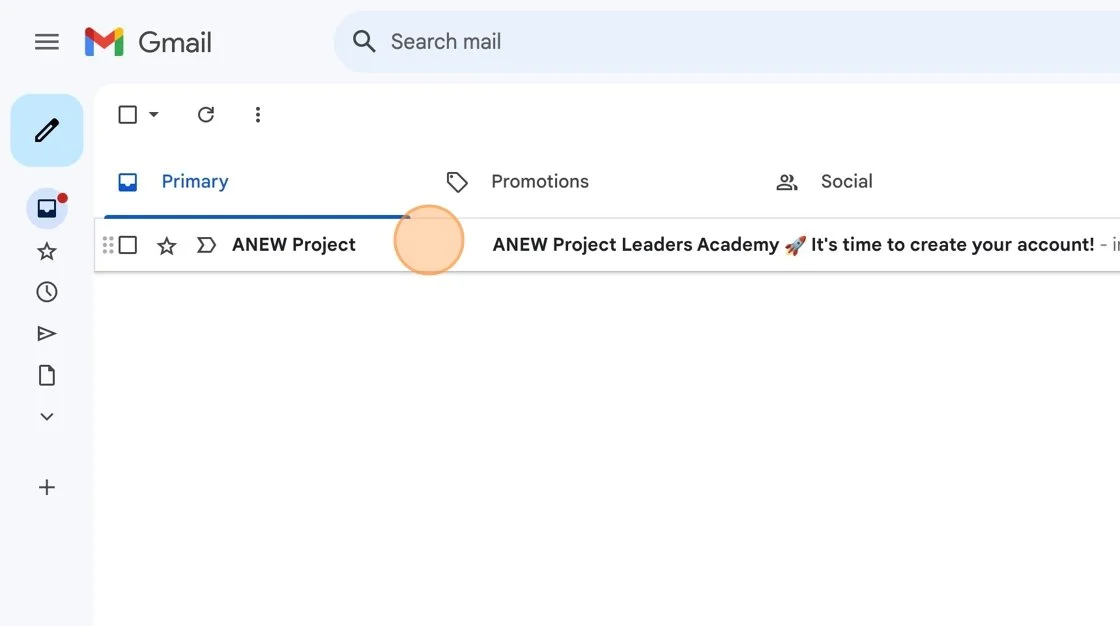
Locate our email in your inbox with the subject line: "ANEW Project Leaders Academy 🚀 It's time to create your account". It was sent from noreply@memberspace.com.
02: CLICK THE LINK IN OUR EMAIL:

After reading our welcome email, click the "Click here" link located after the phrase: "To finish setting up your account, click the link here:". If the link has been deactivated, please contact our help staff at info@anewproject.org, and ask them to resend a new invite email.
03: ON ANEWPROJECT.TV CREATE YOUR PASSWORD:

You will be redirected to the ANEWProject.TV homepage, where a pop-up will prompt you to create a password. Set your password, and remember that you will use the email address where you received the invitation and this password to log in to our platform in the future.
Alternatively, you can create your account using Google, but please note that if you choose this option, you will only be able to log in with your Google account going forward.
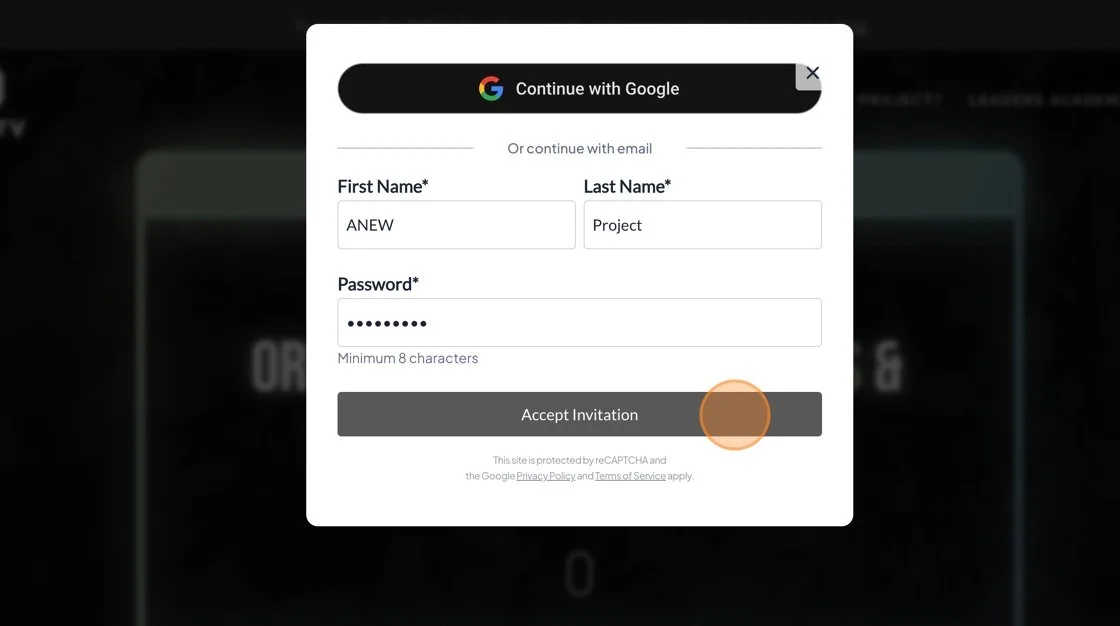
After creating your password, click "Accept Invitation" on the Create Account pop-up.
04: WELCOME TO AP LEADERS ACADEMY:

Once your account is created, a pop-up will appear with the message "Thank You For Joining." Click the button labeled "Access Content" to proceed.
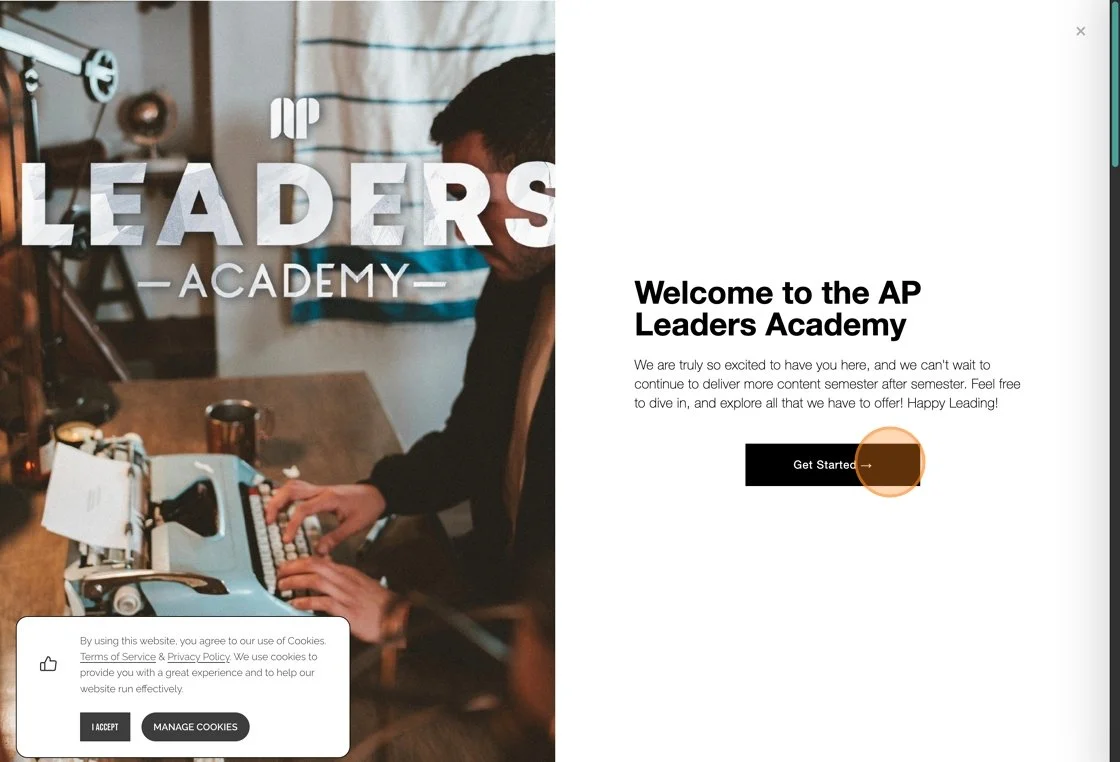
Click "Get Started" in the pop-up welcoming you to the AP Leaders Academy.

Welcome to the ANEW Project's Leaders Academy! Explore our incredible collection of exclusive leadership educational materials and resources designed just for you.
LOG IN TO YOUR ACCOUNT
01: FIND OUR WELCOME EMAIL IN YOUR INBOX:

Look for an email in your inbox with the subject line: "Your AP Leaders Academy Account Has Been Activated 👏" sent from noreply@memberspace.com. Alternatively, you can skip to step 3 by visiting https://www.anewproject.tv/leadersacademy.
02: CLICK THE LINK IN OUR EMAIL:

Click the link in the email highlighted in the sentence: "You can log in anytime at www.anewproject.tv to access all of these resources and more."
03: CLICK the Log in button:

When you arrive on the page, a pop-up will appear with the message: "Sorry, you need to sign up or log in to access this content." Click the button below that says: "Already have an account? Log in."

Log in using the email address you registered with and the password you created during account activation. This will be the same email where you received your invite. If you created your account using Google, simply log in with your Google Account instead.
04: WELCOME ABOARD:
Welcome to the ANEW Project's Leaders Academy! Explore our incredible collection of exclusive leadership educational materials and resources designed just for you.
ACCESS YOUR CONTENT
01: VIST OUR WEBSITE:

Visit www.anewproject.tv to access your account and explore the available resources.
02: LOG IN TO YOUR ACCOUNT:

Click the Log In button at the top right corner of the website. If you are already logged in, skip to Step 3.
Log in using the email address you registered with and the password you created during account activation. This will be the same email where you received your invite. If you created your account using Google, simply log in with your Google Account instead.
03: NAVIGATING THE ACCOUNT MENU:

Now, in the top right corner of our website, the Log In button should have changed to a "My Account" button. Click it, and a pop-up will appear in the bottom right corner of the website. (If the pop-up doesn’t appear, you may need to disable your pop-up blocker.)
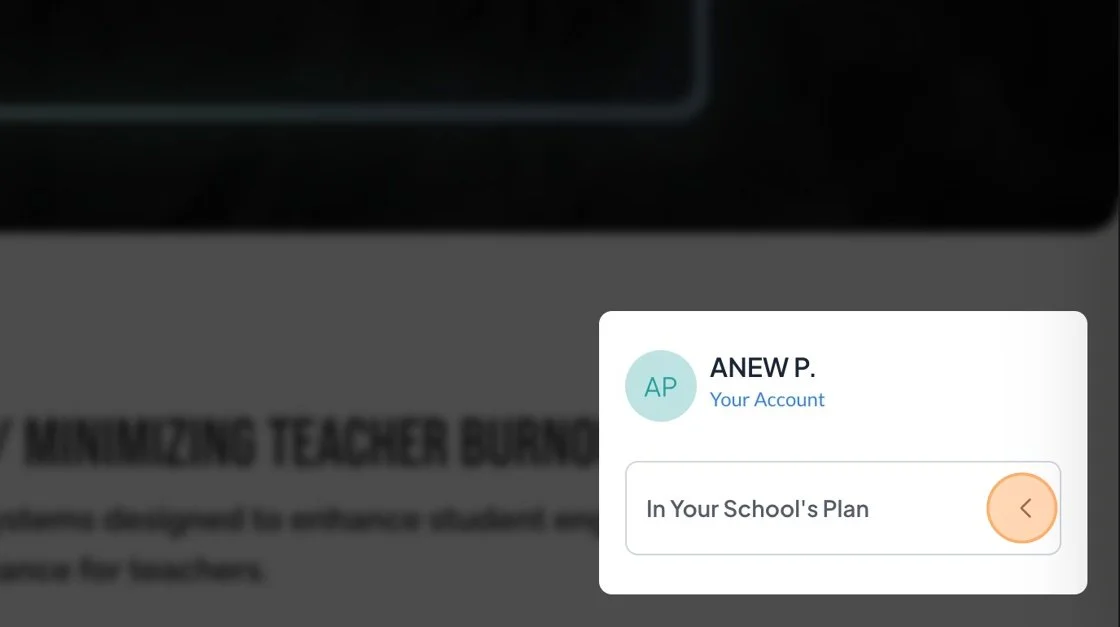
In the Account Pop-Up (located in the bottom right corner of the screen), click "In your School's Plan."

A dropdown menu will appear, showing all the content included in your campus plan. Click on any item you'd like to access.